


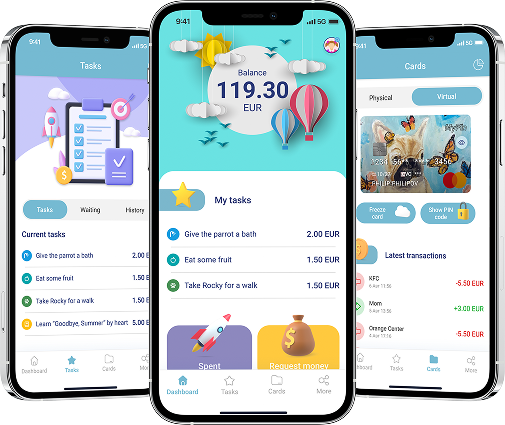
Junior Profile
MyFin Junior gives your child (ages 7–17) a safe way to learn money skills early. With full parental control, a secure kids mode, and smart pocket money tools, you can track spending in real time, assign tasks, and reward responsibility — all in one protected digital space.
Features

Task creation
Create tasks for your children using advanced parental control.

Expense tracking
Track all your children’s expenses in real time.

Request money
Children can easily request extra pocket money whenever they need it.
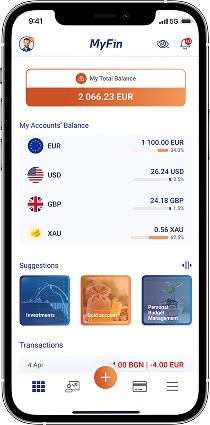
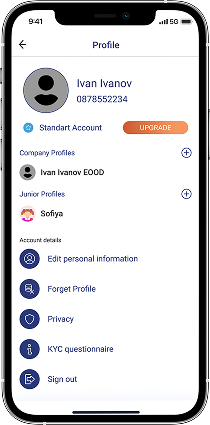
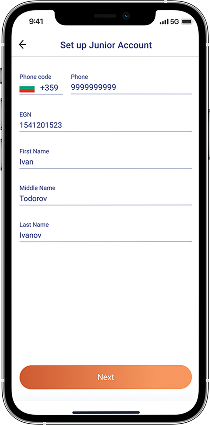

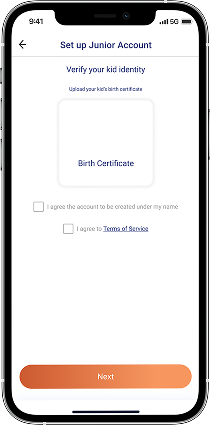
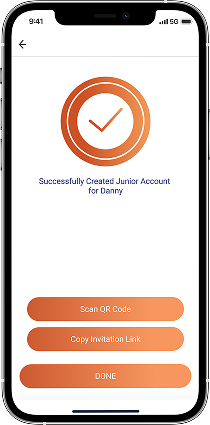
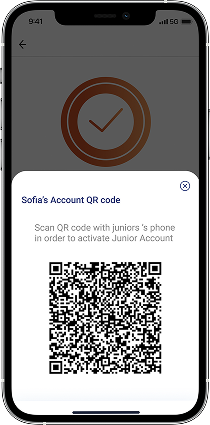
Create a junior profile in MyFin:
- Log in to the MyFin app with an active adult account
- Go to your “Profile”
- Click on the „+“ next to “Junior profiles”
- Enter your child’s details
- Choose the currency for the junior account
- Confirm the data through the birth certificate and the kid's ID card (14+)
- Generate a link or QR code for activation
Activating a child profile
*(from the child’s phone)
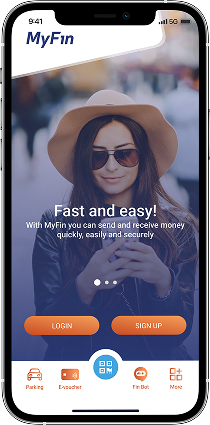
MyFin – Via received link
- Open the received link and download the MyFin app
- Enter the SMS verification code
- Enter an email and password to create the junior profile

Via QR code scan
- Download the MyFin app
- Scan the QR code generated on the parent’s phone
- Enter the SMS verification code
- Enter an email and password to create the junior profile
Frequently asked questions
How to create a task?
To create a task, the parent needs to go to the Junior Profiles section in the app, select the desired child profile, and create a task. They can set details like the task's description, deadline (which can be extended up to one month), and reward amount. Once the child completes the task and marks it as done, the parent receives a notification to approve or reject the reward.
How to issue kids card?
To issue a kid's card, the parent needs to go to the Junior Profiles section in the MyFin app and select the desired child's profile. The child can request a card (physical or virtual) through their app, which goes to the parent for approval. Once the main parent approves, the card will be issued.
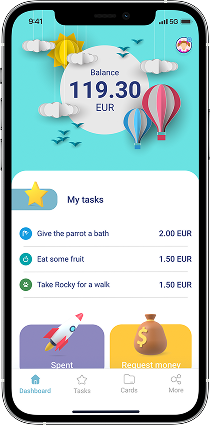
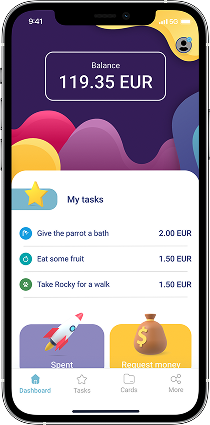
Children in the MyFin mobile app can:
- Receive financial rewards and pocket money for completed tasks
- Decline assigned tasks
- Make payments using a kids debit card with personally chosen design
- Track their expenses and income
- Request pocket money from their parents
- Personalize their home screen
Completing a task
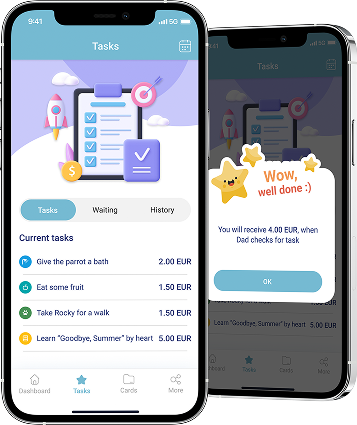
Complete a task
- Go to the “Tasks” menu
- Swipe the selected task to the left
- Tap the “Done” button
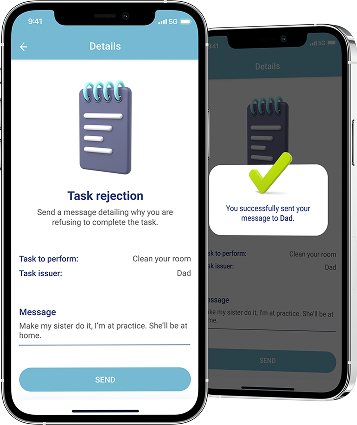
Decline a task
- Go to the “Tasks” menu
- Swipe the selected task to the left
- Tap the “Decline” button
- Enter a reason for declining and send
Frequently asked questions
How to ask for pocket money?
To ask for pocket money, the child can use the "Request Money" feature in their MyFin app. They need to add a value and a reason for the request, and only the main parent can approve or reject it.
How to make a request for card?
The child can request a card (physical or virtual) through their MyFin app by going to the "Cards" menu and selecting the "Request New Card" option. The request will be sent to the main parent, who can approve it for the card to be issued.