Junior Profile
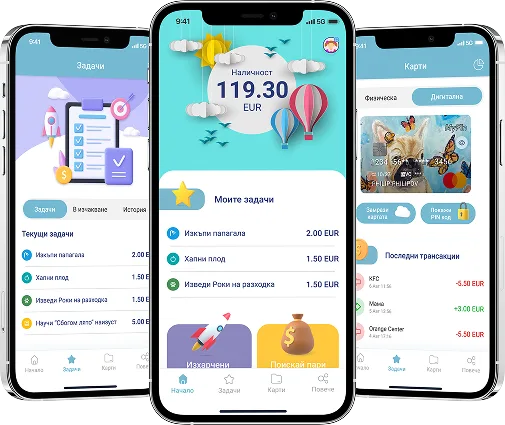
A safe and modern solution for children aged 7 to 17. With full parental control, a protected kids mode, and a debit card, MyFin gives parents the ability to track spending in real time and help their children build healthy financial habits from an early age.
Features

Task creation
Create tasks for your children and reward them.

Expense tracking
Monitor all payments made with the kids card in real time.

Request money
Children can easily request additional pocket money.
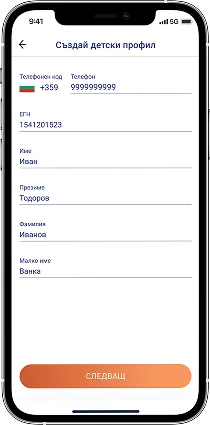
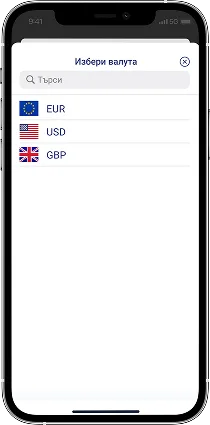
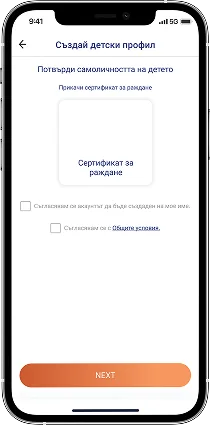
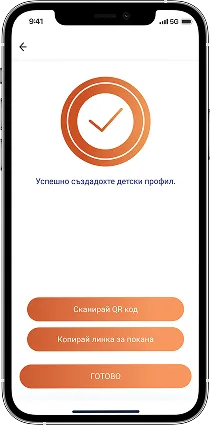
How to create a Junior Profile in MyFin?
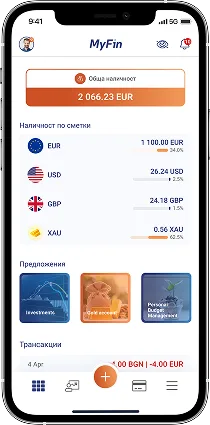
- Step 1: Log in to the MyFin mobile app
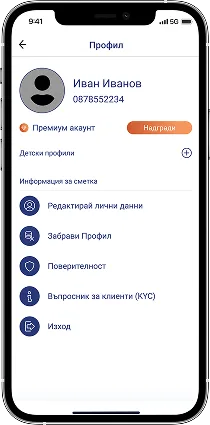
- Step 2: Select the "Profiles" button
- Step 3: Select the "Kids Profiles" button
- Step 4: Select the "Add kids profile" button
- Step 5: Enter your child's details
- Step 6: Choose the currency for the child's account
- Step 7: Verify the entered data with your child's ID card or passport
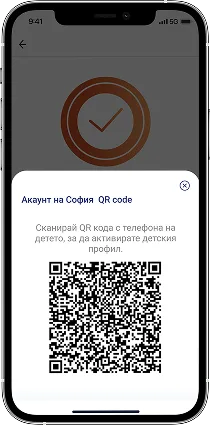
- Step 8: Send the created profile activation link to your child or scan the QR code with their phone
Activate Junior Profile
*(from the child's phone)*
Via received link
- Step 1: Open the received link and download the MyFin app
- Step 2: Enter the code received via SMS
- Step 3: Enter email and password to create a Junior Profile
Via scanned QR code
- Step 1: Download the MyFin app
- Step 2: Scan the QR code on the parent's phone
- Step 3: Enter the code received via SMS
- Step 4: Enter email and password to create a Junior Profile